Discover how Sora and Runway ML are transforming AI video creation. Learn to produce studio-quality videos effortlessly with these cutting-edge tools—perfect for creators and marketers!
🎬 Introduction: The Future of Video Production is Here
In today’s digital-first world, video is king. But for most creators, producing high-quality videos used to mean expensive gear, skilled editors, and long hours. That’s changing—fast.
Enter Sora and Runway ML—two AI-driven platforms that are democratizing video production. Whether you're a solo creator, you’re a marketer, or you’re a small business owner, these tools empower you. They allow you to create studio-grade videos. They do so with minimal effort and cost.
In this tutorial-style blog, we explore:
- What Sora and Runway ML are
- How they work
- Real-world use cases
- Step-by-step walkthroughs
- Tips to get started today
🚀 The Rise of Sora and Runway ML: An Overview
🔹 What is Sora?
Sora is an AI-based video platform that simplifies editing using machine learning. It offers automated features like background removal, cinematic filters, and template-driven editing—no pro skills required.
🔹 What is Runway ML?
Runway ML is a creative AI toolkit with real-time editing, text-to-video, and a wide range of generative models. It blends seamlessly into your workflow with integrations for Premiere Pro, Figma, and more.
🔹 Why Are They Game-Changers?
These tools are:
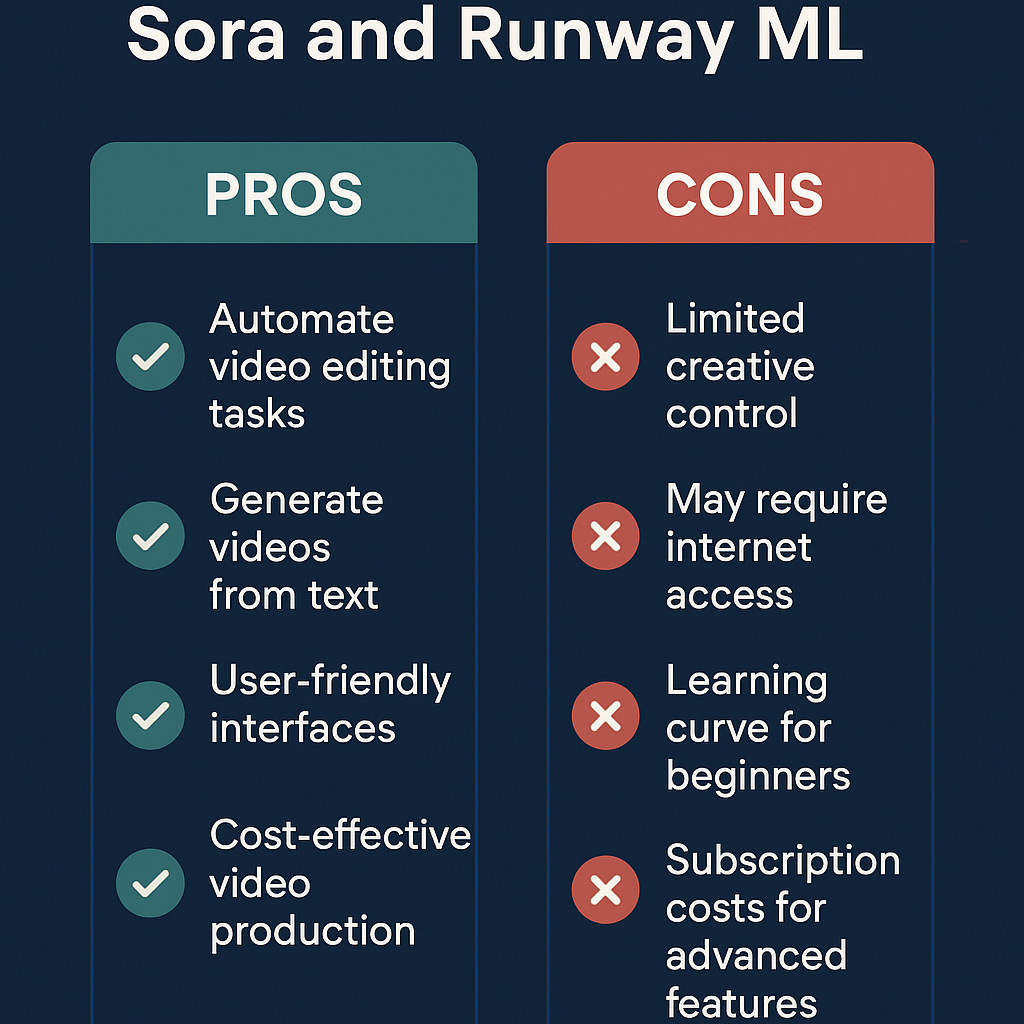
- 🔄 Automated: Let AI do the heavy lifting
- 🧠 Smart: Enhance creativity with advanced ML models
- 🪄 Easy to Use: Intuitive UIs, perfect for all skill levels
- 💸 Affordable: Free tiers + cost-effective pro plans
The bottom line: They bring Hollywood-level power to your laptop.
🌟 Standout Features You’ll Love
✨ Sora Key Features
- AI Background Removal – No green screen needed!
- Video Style Filters – From cinematic looks to social media-ready edits
- Smart Templates – Quick-start options for reels, promos, and more
- User-Friendly – Drag-and-drop simplicity
✨ Runway ML Key Features
- Text-to-Video – Type a script, get a video
- Real-Time Editing – Instant tweaks and previews
- Style Transfer – Apply AI-generated art styles
- Model Library – Use or fine-tune dozens of pretrained models
- Creative Integrations – Plug into Adobe tools, collaborate on cloud
📈 How AI Video Tools Are Reshaping Content Creation
✅ Case Study: Small Business Marketing on a Shoestring
A Mumbai-based home décor brand used Sora to shoot product videos on an iPhone, swapped backgrounds, and added stylish filters. Then, Runway ML was used to animate text overlays and color correct the video—all in under a day.
Result: 3x engagement boost and 70% reduction in video production costs.
🎥 Scenario: Indie Filmmakers Building High-End Visuals
An aspiring filmmaker created a short sci-fi sequence using Runway ML’s generative scenes and Sora’s cinematic LUTs. With no studio or VFX budget, they delivered a festival-worthy visual.
Impact: Lower production time, zero dependency on expensive VFX artists.
🧩 How to Create Studio-Quality Videos Using AI
🪜 Step-by-Step Tutorial
Step 1: Sign Up
Step 2: Plan Your Content
- Define your objective: Ad, vlog, explainer, or promo?
- Write a script and gather visuals or shoot your own footage
Step 3: Edit with Sora
- Upload clips to Sora
- Use AI to:
- Remove/replace backgrounds
- Add transitions and titles
- Apply filters and style effects
Step 4: Enhance with Runway ML
- Use AI models for:
- Color grading
- Motion tracking
- Text-to-video visuals
- Lip-syncing or voiceovers
Step 5: Final Touches & Export
- Add music or voice tracks
- Export in your desired format (HD, 4K, portrait for reels, etc.)
🔑 Bonus Tips
- Watch quick-start tutorials on YouTube
- Follow the official Runway ML blog for model updates
- Use both tools in tandem for maximum results
❓ FAQs: AI Video Creation Demystified
Q1: Do I need editing experience?
No. Both tools are built for non-tech users and have step-by-step guides.
Q2: Can I use this for client projects or YouTube monetization?
Yes. The output is professional-grade and export-ready for all platforms.
Q3: What’s the cost?
- Free tiers available
- Paid plans: $10–$35/month for advanced features
Q4: What’s the learning curve?
Less than an hour to start making quality edits!
🔮 What’s Next for AI-Driven Video Tools?
Here’s where the future is heading:
- ⚙️ Real-time collaborative editing with AI co-pilots
- 🌍 Multi-lingual voice generation and dubbing
- 🧩 Seamless integrations with AR/VR tools
- 🛠️ Custom AI model training for niche use cases
This is just the beginning.
💡 Final Thoughts: AI Is the New Director’s Chair
The power to produce compelling, studio-level video content is no longer exclusive to pros. Thanks to Sora and Runway ML, anyone can create cinematic visuals—on a budget and on-demand.
Whether you're a:
- YouTuber
- Educator
- Startup founder
- Social media manager
AI tools can amplify your voice and bring your ideas to life.
🔗 References & Further Reading
- Runway ML – Official site
- Sora AI – Official site
- TechCrunch on AI Creators
- Wired: Future of AI Content
- AI in Video Production
Ready to turn your ideas into studio-quality visuals?
Sign up for Sora and Runway ML today, and let AI bring your stories to life.