(Ethical Automation Tips for Non-Tech Employees)
Discover game-changing smart workflow hacks to boost your productivity. Secure your job by implementing these strategies. Harness AI automation tips with this essential guide for professionals in the digital age.
🚀 Introduction: The Modern Workplace Challenge
In an era of rapid tech evolution, professionals encounter a two-sided challenge. They must improve productivity. At the same time, they navigate the fear of being replaced by automation. According to Forbes, nearly 85% of jobs today include tasks that can be automated.
But here's the good news—you don’t need to fear automation. You need to own it.
This blog unpacks practical, ethical automation strategies designed specifically for non-tech employees. If you’ve ever thought, “I want to simplify my job without risking it,” this is your blueprint.
💡 What Are Smart Workflow Hacks?
Smart workflow hacks are human-friendly automation tricks that simplify daily tasks using AI and modern digital tools. These hacks aren’t about replacing you. They’re about freeing up your time. They reduce burnout and help you do more of the work that actually matters.
Think of them as personal productivity upgrades that blend your creativity with AI’s efficiency.
🧩 The Framework for Effective Workflow Automation
✅ Step 1: Identify Repetitive Tasks
Start with a simple question: What eats up my time daily?
Look for activities like:
- Copy-pasting data
- Setting up meetings
- Sending reminders
- Generating reports
⚙️ Step 2: Pick the Right Tools
Don't get overwhelmed—start with beginner-friendly platforms like:
- Zapier or Make for connecting apps
- Calendly for meetings
- Notion AI for summarizing notes
🤖 Step 3: Integrate AI Where It Matters
AI can do more than just automation. It can:
- Prioritize emails (like Superhuman)
- Suggest smart replies
- Generate insights from raw data
🔁 Step 4: Build, Test, Refine
Start small. Automate one task, test the results, and refine it. Scale gradually as you grow confident.
🔧 Top Smart Workflow Hacks to Try Today
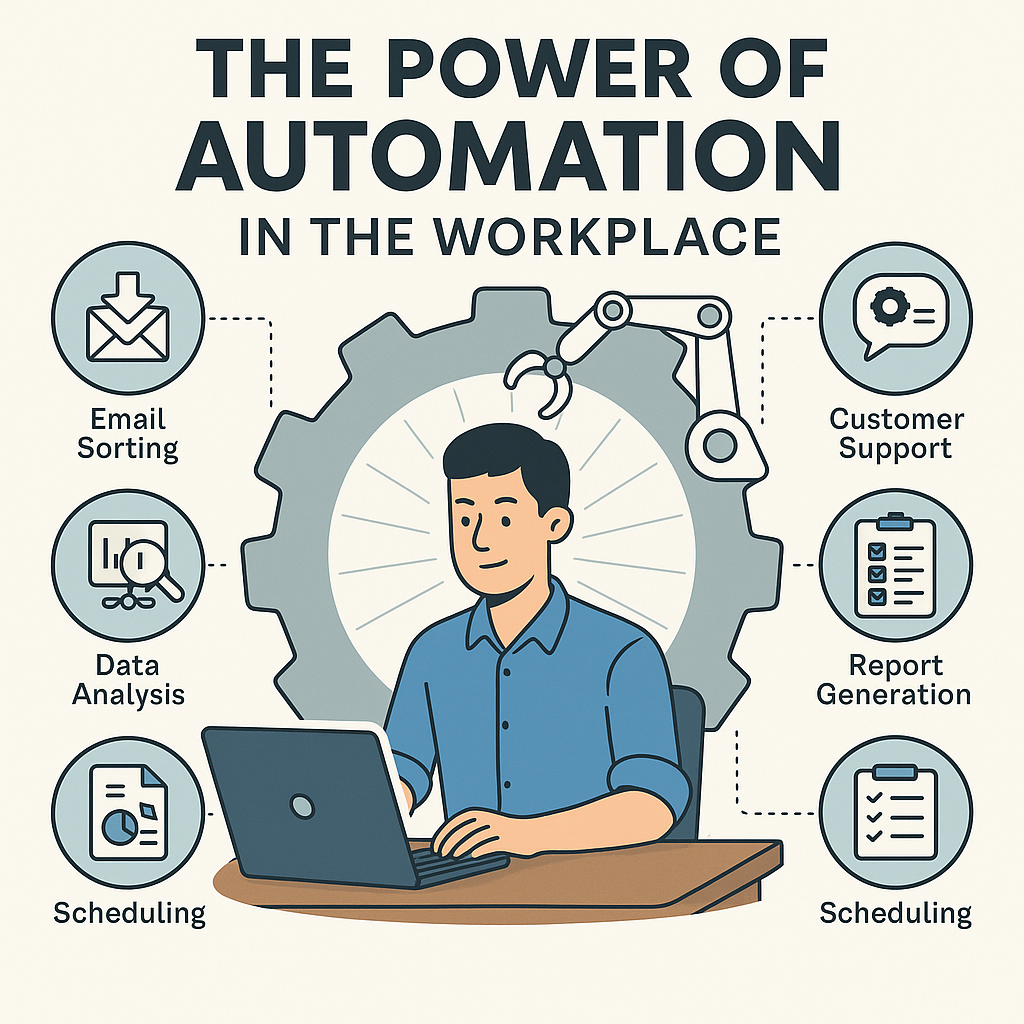
1. Tame Your Inbox with AI
Use tools like Gmail’s Smart Compose or Superhuman to:
- Draft common replies
- Categorize emails
- Highlight urgent tasks
2. Visualize Data with Zero Coding
With drag-and-drop dashboards in Power BI or Tableau, non-tech users can:
- Track KPIs
- Spot trends
- Auto-generate charts for reports
3. Effortless Scheduling
Tired of back-and-forth emails? Use Calendly with AI suggestions to:
- Auto-detect free slots
- Reschedule without manual input
4. Automate Reports with Zapier
Connect your spreadsheets and email tools to auto-send weekly updates.
Example: New row in Google Sheet → Auto email with formatted summary.
5. Voice-Powered Productivity
Use Google Assistant or Cortana to:
- Set reminders
- Add to-dos
- Fetch information hands-free
6. Customer Support Bots (No Coding Needed)
Deploy Intercom or Tidio to:
- Handle FAQs
- Route complex issues to you
- Work while you sleep
📊 Real-World Wins: Use Cases & Results
Case Study #1: Marketing Coordinator Saves 12 Hours/Week
A marketing professional automated social media post scheduling with Buffer + Google Sheets. This saved 12 hours per week. The time is now spent on campaign creativity.
Case Study #2: HR Manager Simplifies Recruitment
Using Zapier, an HR manager automated candidate tracking from Google Forms to Notion, reducing time-to-hire by 30%.
🧭 Your 6-Step Action Plan
- List your repeat tasks
- Rank them by time consumed
- Google: “How to automate [task] with [tool]”
- Set up one automation per week
- Track results (time saved, errors avoided)
- Stay curious: Follow AI news and tutorials
❓ Frequently Asked Questions
Q: Will automation make me irrelevant?
A: Not at all. It’ll make you irreplaceable by letting you focus on critical, human-first tasks like problem-solving, strategy, and creativity.
Q: What if I’m not tech-savvy?
A: No-code tools are made for you. They use buttons, templates, and guides—no programming required.
Q: How can I ensure automation is safe?
A: Use trusted tools, avoid automating sensitive data, and follow your company’s IT and compliance guidelines.
🔚 Final Thoughts: Automate Ethically, Work Smarter
Smart automation isn’t about replacing people. It’s about helping them evolve.
By using these ethical, non-invasive workflow hacks, you’ll:
- Save time
- Reduce burnout
- Stay ahead in your career
So, go ahead—automate that annoying task. But keep your creativity, empathy, and strategy front and center. That’s your irreplaceable superpower.
📚 Bonus Resources for Smart Workers
- TechRepublic – Workplace Automation
- Forbes – Future-Proofing Jobs with AI
- Notion AI Tutorials
- Zapier Blog for Non-Tech Users
Want more smart hacks like these?
Subscribe to our newsletter and get weekly workflow upgrades delivered straight to your inbox!