
(No Coding Background Needed)
Discover the smoothest way to transition from Excel to Python for AI-powered data analysis—no coding experience required. Unlock automation, deeper insights, and smarter decision-making today!
🚀 Introduction: Why Moving from Excel to Python Is a Game-Changer
Over 750 million users rely on Excel for everyday data tasks. Yet, when datasets grow or automation becomes essential, Excel starts to show its limitations. If you've ever wrestled with slow spreadsheets or error-prone formulas, it's time to meet your new superpower—Python.
This guide shows you how to transition from Excel to Python easily. It is simple, even if you’ve never written a line of code.
🧱 The Limitations of Excel in Modern Data Analytics
Excel is excellent—but not infinite. Here’s why you may be hitting a wall:
| Challenge | Impact |
|---|---|
| Manual data entry | Risk of human error |
| File size limitations | Sluggish performance beyond ~1M rows |
| Limited automation | Repetitive tasks consume hours |
| Inflexibility with AI/ML | Inadequate for advanced analytics workflows |
💡 Why Python Is the Future of Data Analytics
Python is your all-access pass to automation, scale, and innovation.
- 📈 Scalable: Handle millions of records with ease.
- 🔁 Automatable: Schedule reports and eliminate manual updates.
- 🧠 AI-Ready: Step into machine learning and predictive modeling.
- 🔌 Connected: Pull data from APIs, databases, and live feeds.
"Python gives you wings where Excel gives you formulas."
🧭 Step-by-Step Guide: Excel to Python Without Fear
✅ Step 1: Grasp Python Basics
Start here—no tech background needed.
- Concepts: Variables, loops, functions
- Resources:
✅ Step 2: Set Up Your Environment
Use beginner-friendly tools:
| Tool | Purpose |
|---|---|
| Anaconda | All-in-one toolkit (Python, Jupyter) |
| Jupyter | Interactive coding notebooks |
| VS Code | Optional text editor for scripting |
🔗 Download: anaconda.com
✅ Step 3: Learn Essential Libraries
pandas: Excel-like data tablesnumpy: Math & stats functionsmatplotlib/seaborn: Stunning chartsopenpyxl/xlsxwriter: Excel file manipulation
Example: Load Excel Data
pythonCopyEditimport pandas as pd
df = pd.read_excel('sales_data.xlsx')
print(df.head())
✅ Step 4: Recreate Your Excel Workflow
| Excel Task | Python Equivalent |
|---|---|
| Pivot tables | groupby() in pandas |
| VLOOKUP/Merge | merge() in pandas |
| Charts | matplotlib.pyplot / seaborn |
| IF conditions | np.where() or logical indexing |
✅ Step 5: Automate Repetitive Tasks
Sample Script: Generate Sales Report
pythonCopyEditdata = pd.read_excel('monthly_sales.xlsx')
summary = data.groupby('Region')['Sales'].sum()
summary.to_csv('sales_summary.csv')
📌 Schedule with:
- Windows Task Scheduler (Windows)
- Cron Jobs (Mac/Linux)
🧠 Real-World Case Studies
🏦 Finance Team Saves 10+ Hours/Week
Automated monthly reconciliation using pandas, reduced manual errors, and eliminated Excel crashes.
📊 Marketing Gets Real-Time Campaign Dashboards
Combined Excel files + API data with Python, enabling on-demand insights.
🎯 Quick-Start Checklist
✅ Identify 1 Excel workflow you want to automate.
✅ Learn pandas basics via a free course.
✅ Install Anaconda and run a sample Jupyter notebook.
✅ Convert your Excel file to .csv and load it in Python
✅ Celebrate your first automated analysis! 🎉
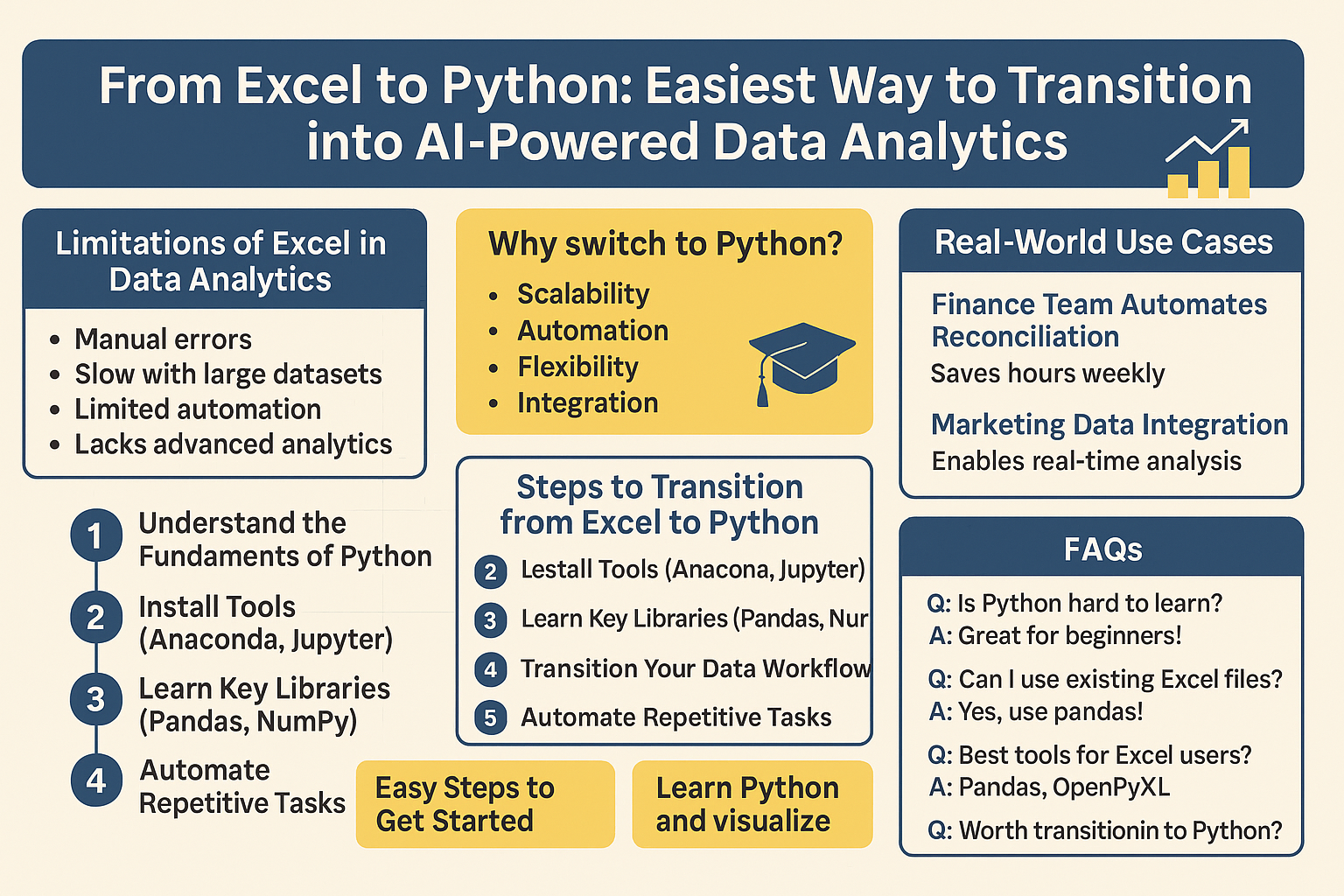
🔄 FAQs: Your Excel-to-Python Questions Answered
Q1: Do I need to be a coder to learn Python?
No! With the right tutorials and mindset, it's beginner-friendly.
Q2: Will I lose my Excel files?
Not at all. Python reads and writes Excel with full flexibility.
Q3: How fast can I automate reports?
With a few tutorials, you can automate basic reports within a week.
Q4: Is Python better than Excel?
For large-scale data, automation, and AI—yes, Python wins.
🧭 Want to Go Deeper?
- Tutorials: Real Python, DataCamp
- Communities: r/datascience, Stack Overflow
- News & Trends: KDnuggets
🌟 Final Thoughts: Make the Leap, Gain the Edge
Learning Python is not a replacement—it's an evolution. Transitioning from Excel to Python unlocks AI-powered analysis. It leads to smarter decisions. It also enables scalable automation, whether you're a business analyst, finance pro, or marketer.
You don’t need to ditch Excel. But once you taste Python’s power, you might never look back.
📌 Pro Tip: Bookmark this post and revisit each step as you build confidence. Start today, and you’ll be analyzing like a data scientist in no time!