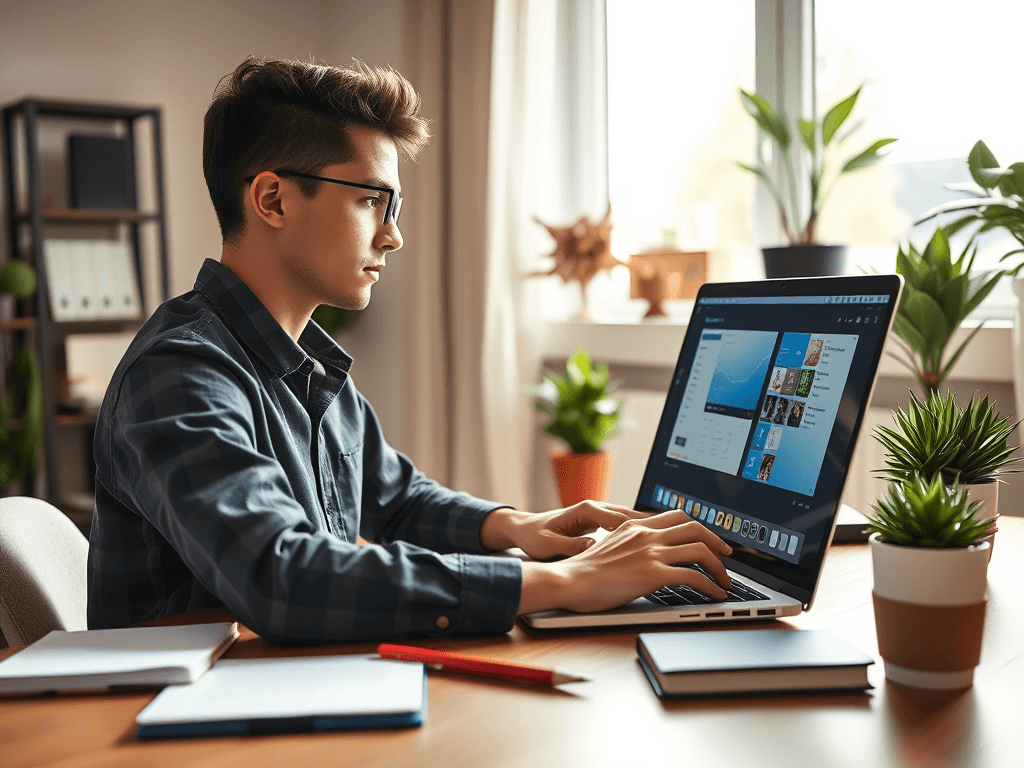
Discover the best remote desktop apps to manage your side hustles securely. Learn how to streamline your remote work while protecting your data and boosting productivity.
Introduction: The Modern Side Hustle Challenge
In today’s gig economy, more professionals are juggling multiple side hustles to boost income. They aim to achieve financial freedom and diversify their skills. Whether you're managing a small online business, freelance projects, or overseeing remote teams, staying connected and productive is essential.
However, managing side hustles remotely comes with unique challenges — especially when it comes to security and seamless access. Sensitive business data, client information, and personal files need to be protected. Choosing the right remote desktop app is critical for entrepreneurs and small business owners.
Did you know? Studies indicate that cyber threats targeting remote workers have surged by over 40% in recent years. This highlights the importance of using secure, reliable remote desktop solutions to safeguard your side hustles.
In this guide, we'll explore the best remote desktop apps for managing side hustles securely. These tools will help you work smarter. They will make your work safer and more efficient from anywhere.
Why Secure Remote Desktop Apps Matter for Side Hustlers
Managing multiple side projects remotely requires tools that are not only user-friendly but also secure. Here’s why:
- Data Security: Protect sensitive client and business information from cyber threats.
- Access Control: Manage permissions for team members or freelancers.
- Productivity Boost: Access your work setup anytime, anywhere.
- Cost-Effectiveness: Minimize hardware investments by running your apps securely from any device.
Choosing the right app can transform your side hustle from a stressful juggling act into a streamlined operation.
What to Look for in a Remote Desktop App for Managing Side Hustles
Before diving into the best apps, consider these key features:
- Strong Encryption & Security Protocols: Ensures your data remains confidential.
- Ease of Use: User-friendly interfaces for quick setup and management.
- Cross-Platform Compatibility: Work seamlessly across Windows, Mac, Android, and iOS.
- Remote Printing & File Transfer: Simplify managing files between devices.
- Affordable Pricing Plans: Fit within your side hustle budget.
- Reliable Customer Support: Quick assistance when issues arise.
Top Remote Desktop Software for Side Hustlers
1. TeamViewer — The Versatile Remote Access Solution
Overview: Known for its ease of use and robust security features, TeamViewer is popular among freelancers, entrepreneurs, and small businesses.
Key Features:
- End-to-end encryption
- Cross-platform support
- Remote printing
- File transfer
- Session recording
Why it’s ideal for side hustles: It has a free plan for personal use. There are also scalable paid options. These plans make it accessible for small-scale operations. Perfect for accessing multiple devices securely.
Security Tip: Always enable two-factor authentication (2FA) for added protection.
2. AnyDesk — Fast & Secure Remote Access
Overview: With a focus on high performance and security, AnyDesk offers lightning-fast connections suitable for managing side projects efficiently.
Key Features:
- TLS 1.2 encryption
- Low latency
- Lightweight application
- Session recording
Why it’s ideal for side hustlers: It has an intuitive interface. Its affordability makes it suitable for entrepreneurs. They need quick and secure connections without technical hassle.
3. Splashtop Business Access — Affordable & Secure
Overview: Designed with small businesses in mind, Splashtop offers high security and smooth remote access at a competitive price.
Key Features:
- Military-grade encryption
- Multi-device access
- 4K streaming quality
- Simplified deployment
Use case: Ideal for entrepreneurs managing multiple side projects across various devices.
4. Chrome Remote Desktop — Free & Simple
Overview: A free solution from Google, Chrome Remote Desktop provides basic remote access for individuals and small teams.
Key Features:
- Easy setup via Chrome browser
- Cross-platform compatibility
- Secure connection via Google infrastructure
Limitations: Less feature-rich but perfect for straightforward remote management without high complexity.
5. Zoho Assist — Focused on Small Business Security
Overview: Part of the Zoho business suite, Zoho Assist offers secure remote support and access ideal for side-hustlers with clients.
Key Features:
- Secure SSL and 256-bit AES encryption
- File transfer
- Multi-monitor navigation
- Chat and session recording
Good for: Managing client projects securely without added complexity.
How to Choose the Right Remote Desktop App for Your Side Hustle
- Assess Your Needs: Do you need simple access, or multiple features like file transfer and session recording?
- Security First: Choose apps with robust encryption and security protocols.
- Budget-Friendly Options: Find solutions with free tiers or affordable plans.
- Device Compatibility: Ensure the app supports your devices.
- Scalability: Consider future growth—do you need multi-user support?
Actionable Steps to Implement Remote Desktop Apps Effectively
- Test Multiple Apps: Use free trials to find the best fit.
- Set Up Security Measures: Enable 2FA, strong passwords, and VPNs if needed.
- Organize Access: Assign permissions and document how team members will use access.
- Schedule Regular Updates and Checks: Keep software updated and review security settings.
- Train Yourself & Team: Ensure everyone understands secure remote practices.
FAQs: Your Remote Desktop App Questions Answered
Q1: Are remote desktop apps safe for managing sensitive client data?
Yes, remote desktop apps can be highly secure. Choose apps with strong encryption, like AES-256 or TLS. Enable features like two-factor authentication.
Q2: Can I manage multiple side projects simultaneously using remote desktop apps?
Absolutely. Many apps support multiple sessions and multi-monitor setups, making it easier to juggle several projects.
Q3: What’s the most cost-effective remote desktop solution for small entrepreneurs?
Chrome Remote Desktop is free and adequate for basic needs. For more features, apps like Splashtop offer affordable plans.
Q4: How do I ensure my remote desktop connection is secure?
Use encryption, strong passwords, two-factor authentication, and ensure your devices have updated security patches.
Q5: Can remote desktop apps support mobile devices?
Yes, most popular options support Android and iOS, allowing you to manage your side hustle from anywhere.
Final Thoughts
Managing side hustles remotely has become more accessible and secure than ever — provided you use the right tools. The best remote desktop apps for managing side hustles securely offer ease of use. They provide robust security and are affordable. This enables entrepreneurs to work efficiently without compromising data safety.
Remember: Your side hustle deserves tools that protect your hard work. Choose wisely, implement security best practices, and stay productive from anywhere!
Want More Tips on Side Hustles & Managing Finances?
Subscribe to our newsletter for expert advice on making your side hustle thrive. Learn how to secure your income and maximize your personal financial growth.
Sources & Further Reading:
- TechRadar - Best Remote Desktop Software
- CNET - Remote Access Tools
- PCMag - Top Remote Desktop Apps
- Tom’s Guide - Remote Desktop Solutions
Harness the power of secure remote desktop apps and take your side hustles to the next level today!